
One of Tango Tango’s valuable features is the ability to detect First Response Tones and trigger notifications for users when they are detected. Many of our customers also use Computer-Aided Dispatch (CAD) systems to manage incident response in their agency, and Tango Tango is now able to integrate with those systems in order to trigger various notifications to our users when these incidents are created. The introduction of this feature comes with some changes to the way alerts are managed in the Tango Tango admin portal.
First Response Tones were configured and managed in the system via the “Tones” section on the left-hand navigation panel. This option has been replaced with an “Alerts” menu item which is broken down two sections: “Sources” and “Feeds”.
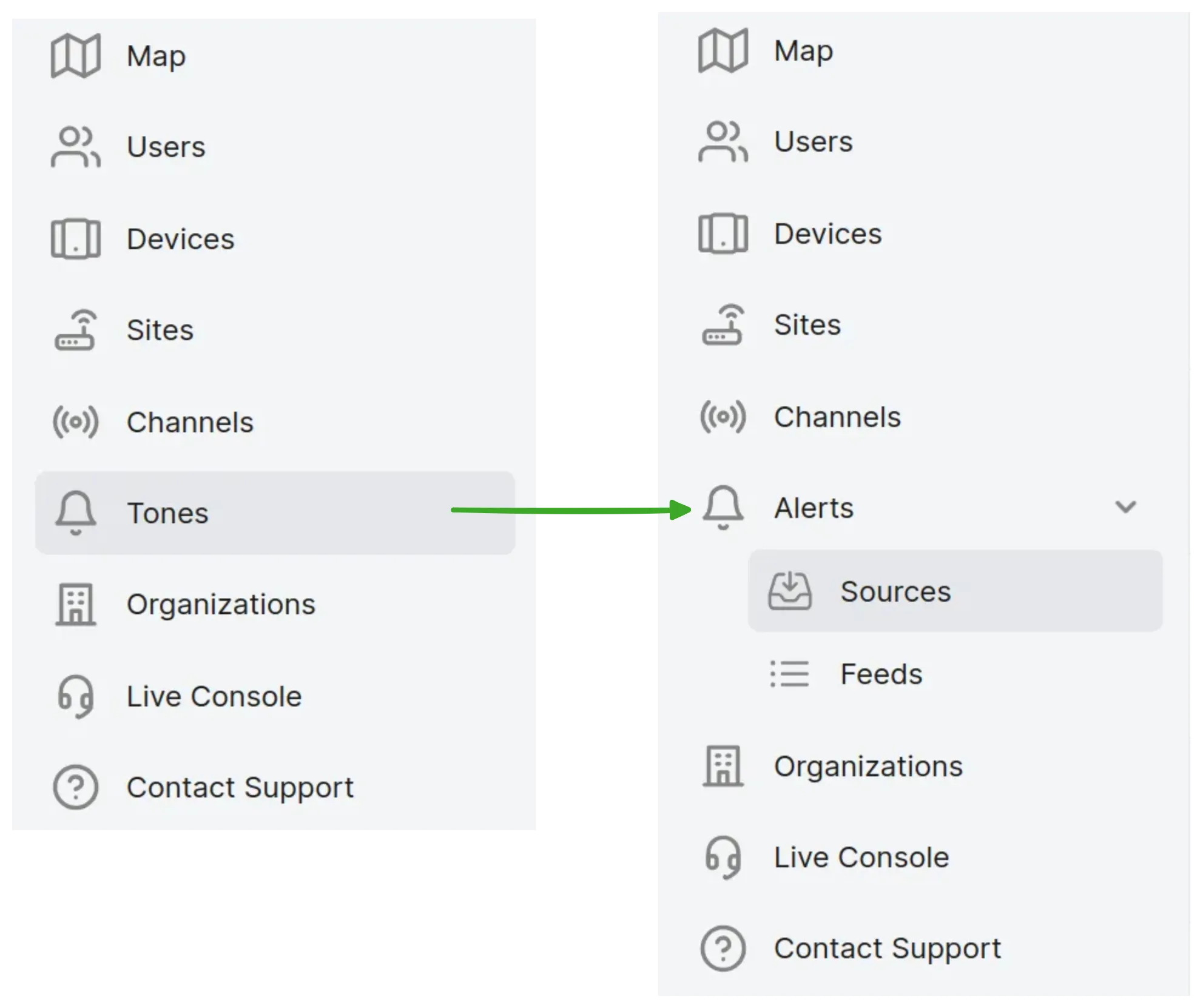
“Sources” is where you will find and configure First Response Tones and CAD integrations. Once the sources are configured, then it’s time to configure which users are interested in which alert notifications.
Previously, users were added directly to the Tones they were interested in. CAD sources worked similarly: users were added directly to the CAD source. However, it became apparent that managing memberships this way would not meet all use cases. Firstly, all of the alerts coming from a single CAD source are not relevant to a single set of users. Secondly, CAD events are often relevant to the same groups that were currently assigned to Tones.
To address all of the use cases, we have introduced the concept of Feeds. As the name suggests, a Feed is a stream of events that are related by the group of users that will be interested in being alerted about those events. When an event comes in from a CAD source, it is assigned a priority and routed to one or more Feeds via a configurable list of matching rules. First Response Tones are likewise routed to a Feed, although process here is simpler: all events from a given tone are always routed to the same Feed.
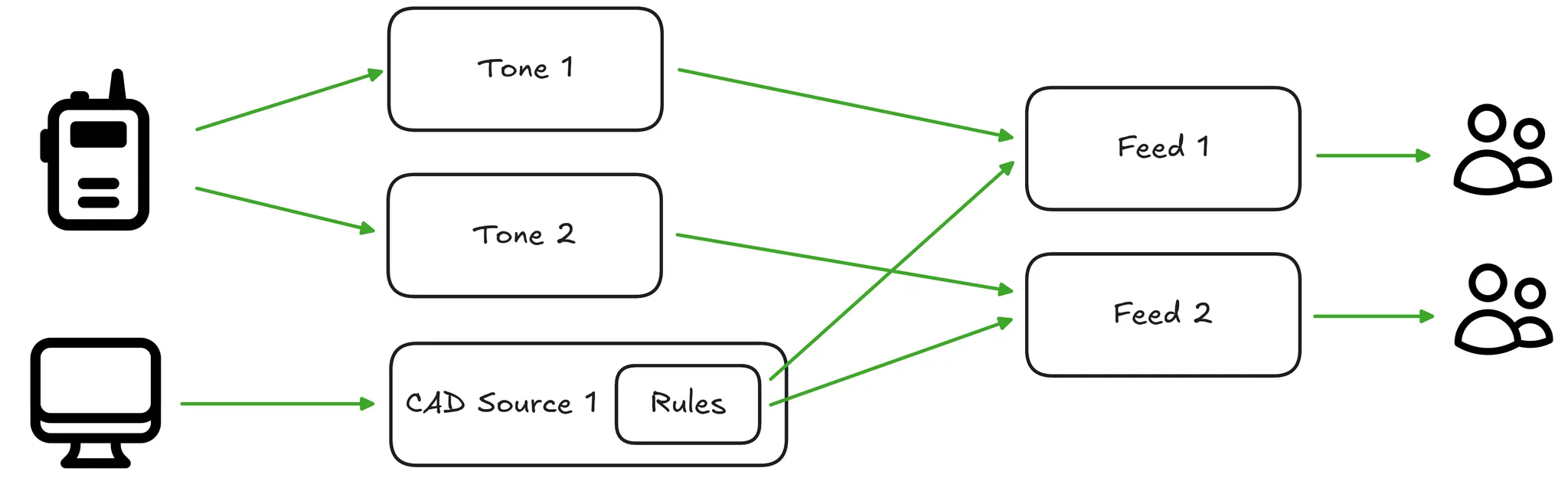
For more details on how to route alerts to appropriate feeds, see Configure Alert Routing with Rules.
If you had Tones or CAD Sources configured previously with users attached directly to them, you will now find that a Feed has been automatically created for each Tone/CAD Source and the user list from the original has been migrated to the Feed. Members of the Feed will continue to receive Incident Calls for Tone events or SMS/push notifications for CAD events as before.
Going forward, when creating a new First Response Tone or CAD source, you will be prompted to choose or create a corresponding Feed.
We believe this system provides the flexibility to support the needs of various types of agencies. As always, don’t hesitate to reach out to support if you have questions.